• Company
  • Blog
  • Case Studies
  • Partners
  • Contact

vtexpertswplogovtexpertswplogotransp2-white-small-2transp2-white-small-2

  • Home
  • Services
    • Services [custom]
  • Solutions
    • Solutions [custom]
  • Extensions
    • Extensions [custom]
  • Managed Hosting
  • Resources
    • Resouces [custom]
  • Extension List
  • Home
  • Managed Hosting
  • Extensions
    • Get Started
    • Installation Instructions
    • Pricing
    • FAQs
    • Extension List
  • Services
    • Support
    • Custom Development
    • Integrations
    • Vtiger Upgrade
    • Data Migration
  • Support Plans
    • Monthly Plans
    • Support Plans
    • Startup Packages
  • Resources
    • Helpdesk
    • Blog
    • Contact Us
    • Partners

Round Robin now Supports Groups as well

Categories
  • vTiger 7
  • vTiger Tweaks
Tags
  • Add-on
  • Assignment
  • automation
  • crm
  • customization
  • Feature
  • integration
  • Management
  • Record assignment
  • round robin
  • Tickets
  • VTExperts
  • vTiger
  • vtiger CRM
  • vTiger features

Round Robin is  great extension, which is used to assign tickets/records to the users. Now, VTExperts Round Robin supports groups as well

How to assign a record to the group

Following is the method to assign a record to the group

  • Go to the Settings
  • Choose Extension Pack
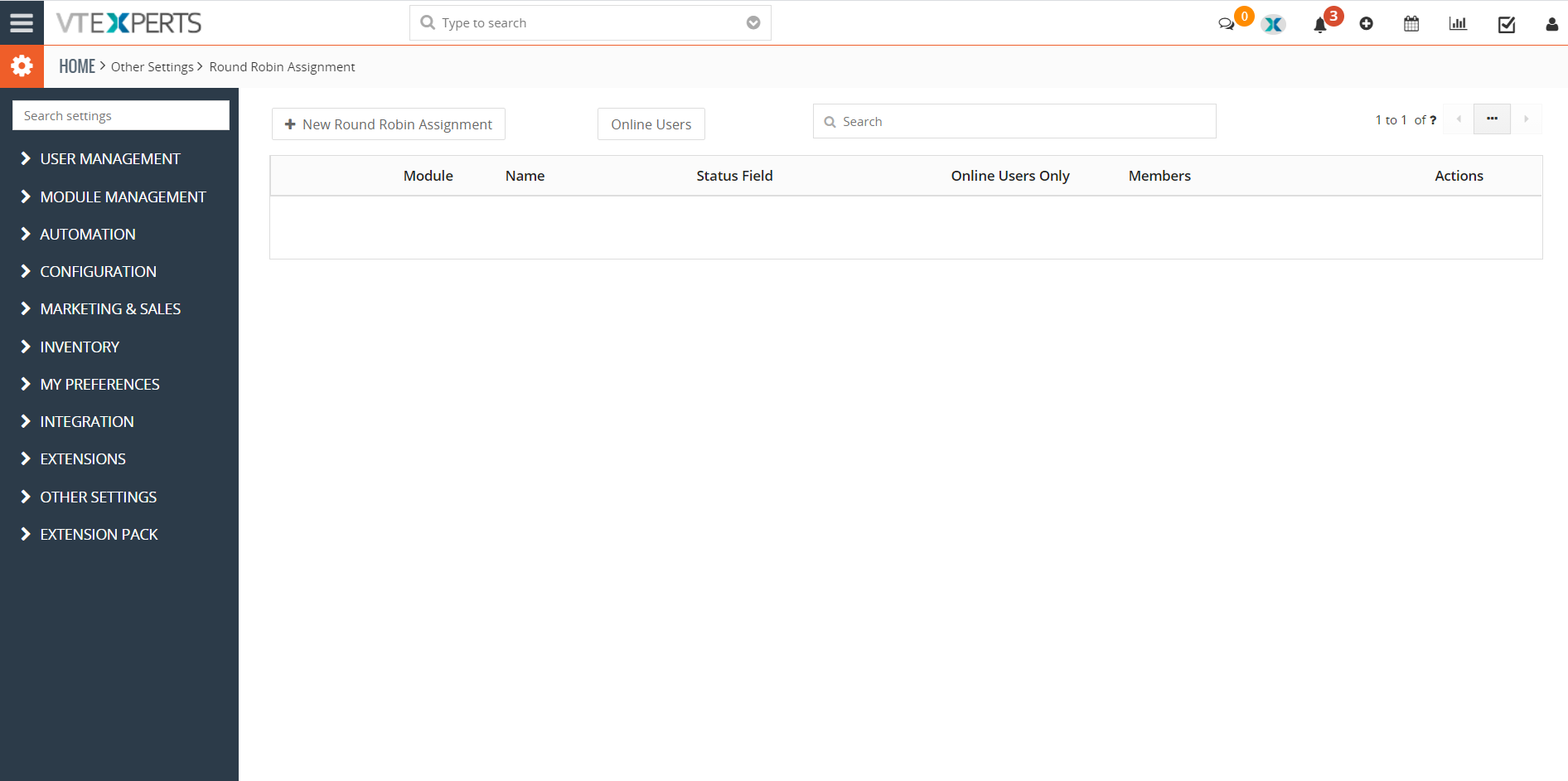
  • Choose Round Robin

Round Robin now supports groups as well

Click on “+ Add a New Round Robin”

  • Upon clicking following page will open
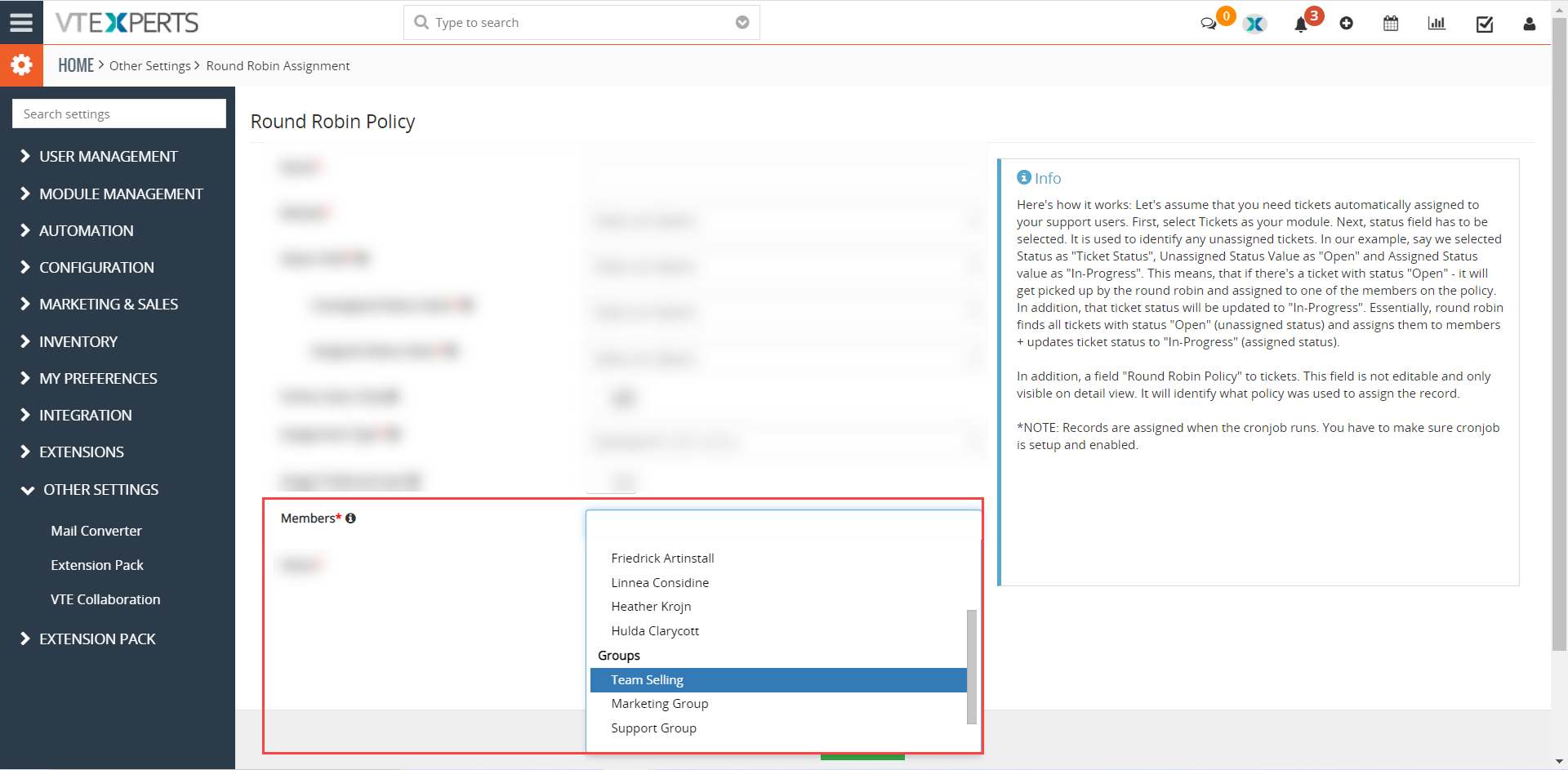
Round Robin now supports groups as well

Now, while assigning the members, you can assign groups as well. Previously it only supported individuals


Example

Let’s take an example and try to assign tickets to the groups instead of the individuals

  1. first configure a round Robin policy for the tickets and make sure to select groups in members field
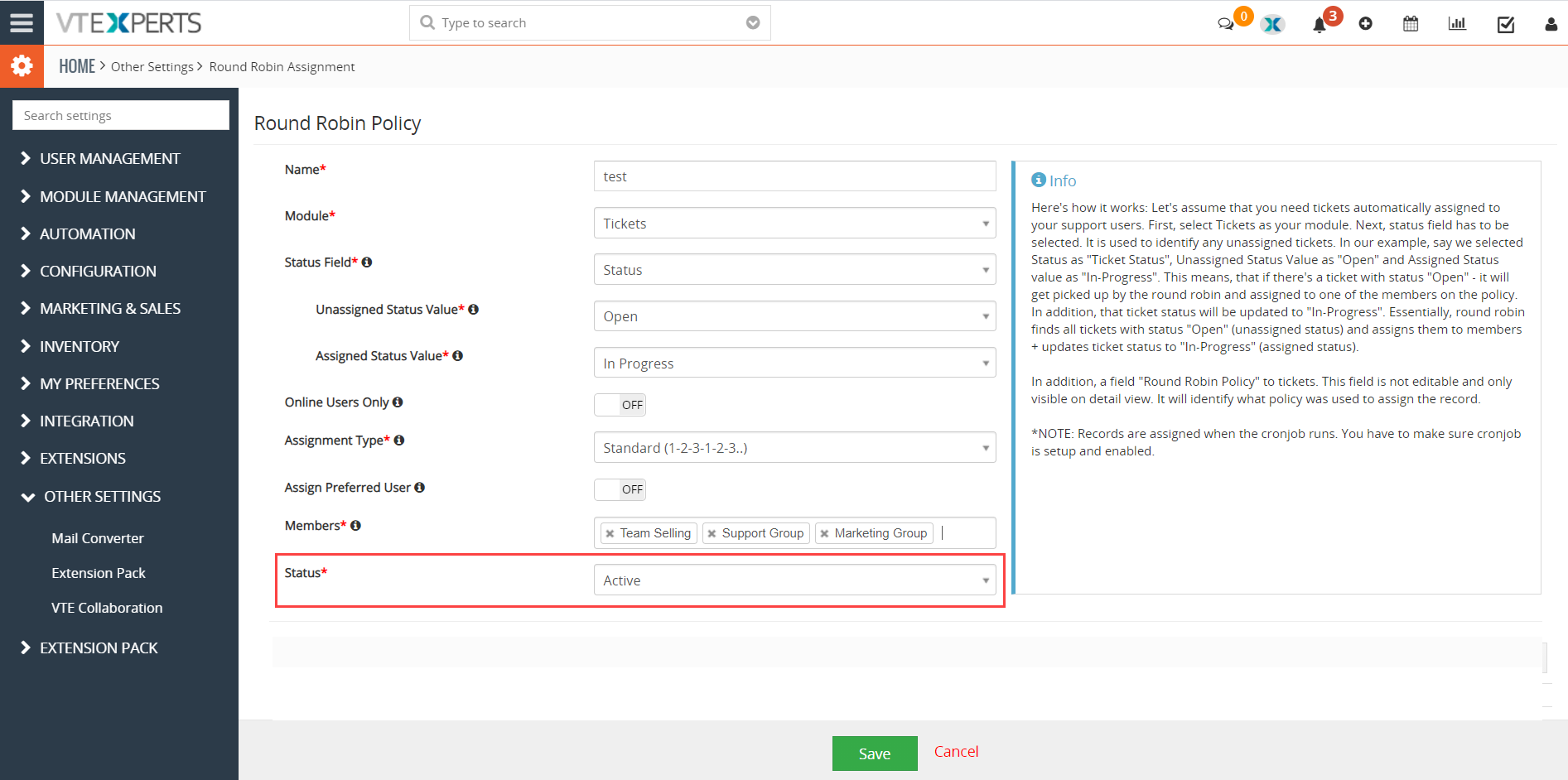
Round Robin now supports groups as well

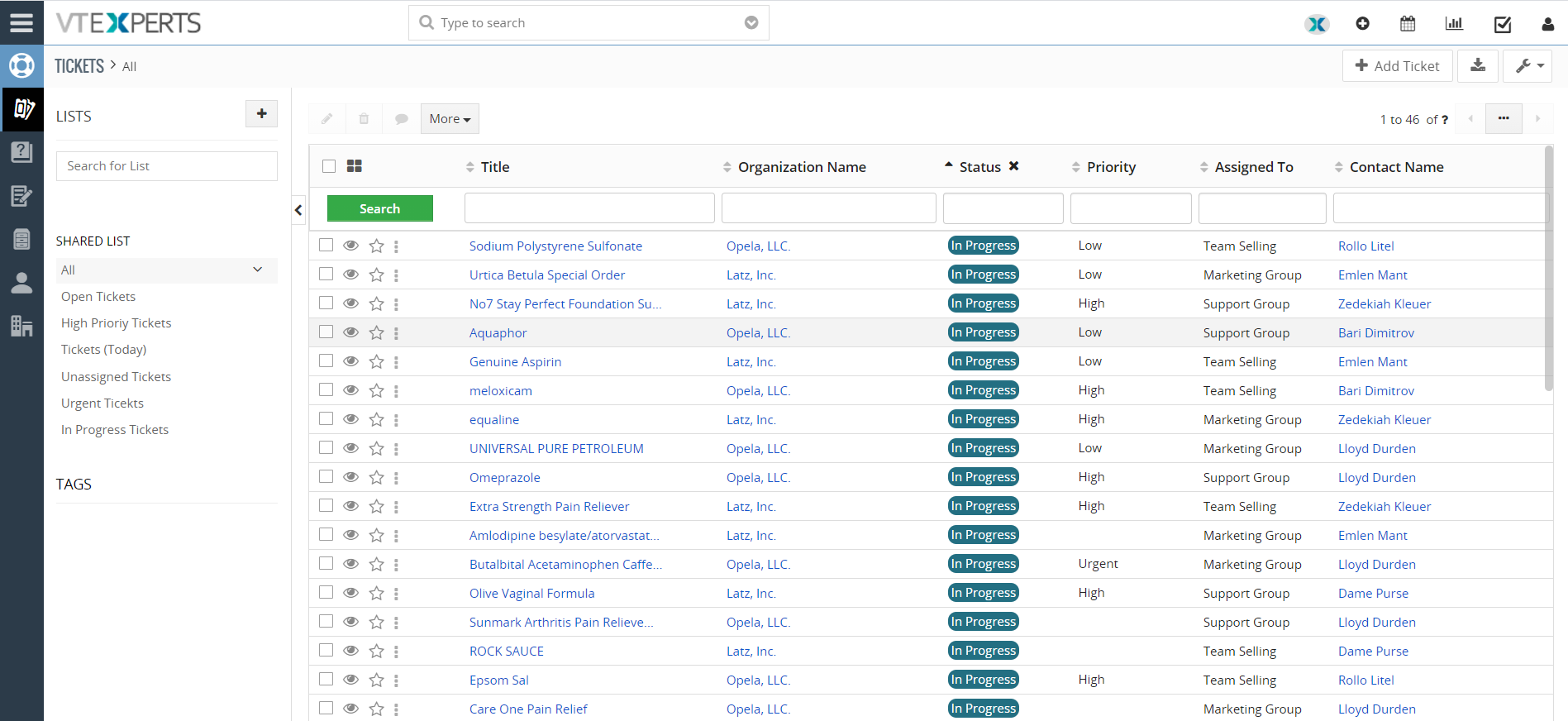
2. Now take tickets which are unassigned. In this example, the tickets with open status are unassigned
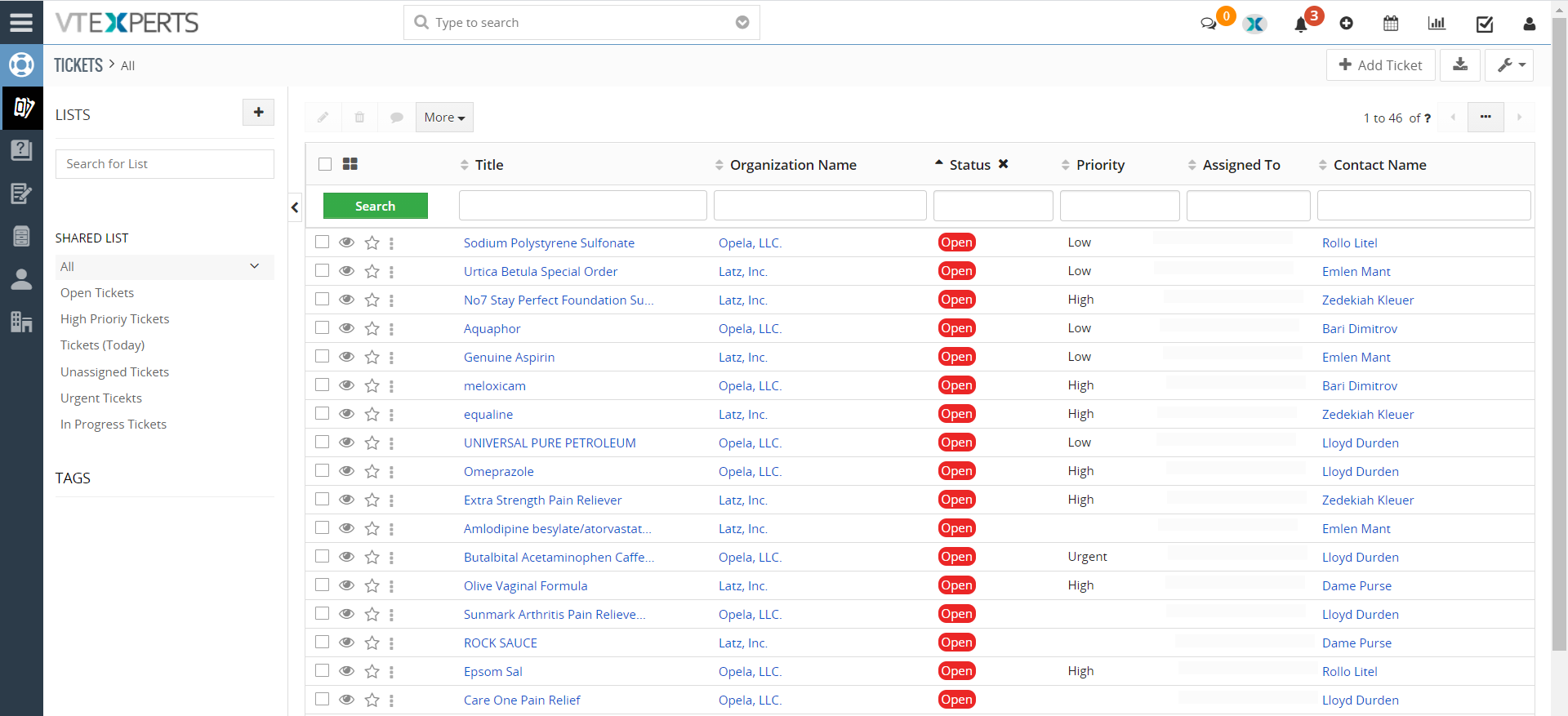
3. Now trigger the scheduler for round robin
Once the round robin scheduler is executed, the tickets will be assigned to the member (i.e. groups & individuals). In this example the tickets are assigned to the groups. Status column shows “In-progress” and in Assigned to column it can be seen that they are assigned to groups.


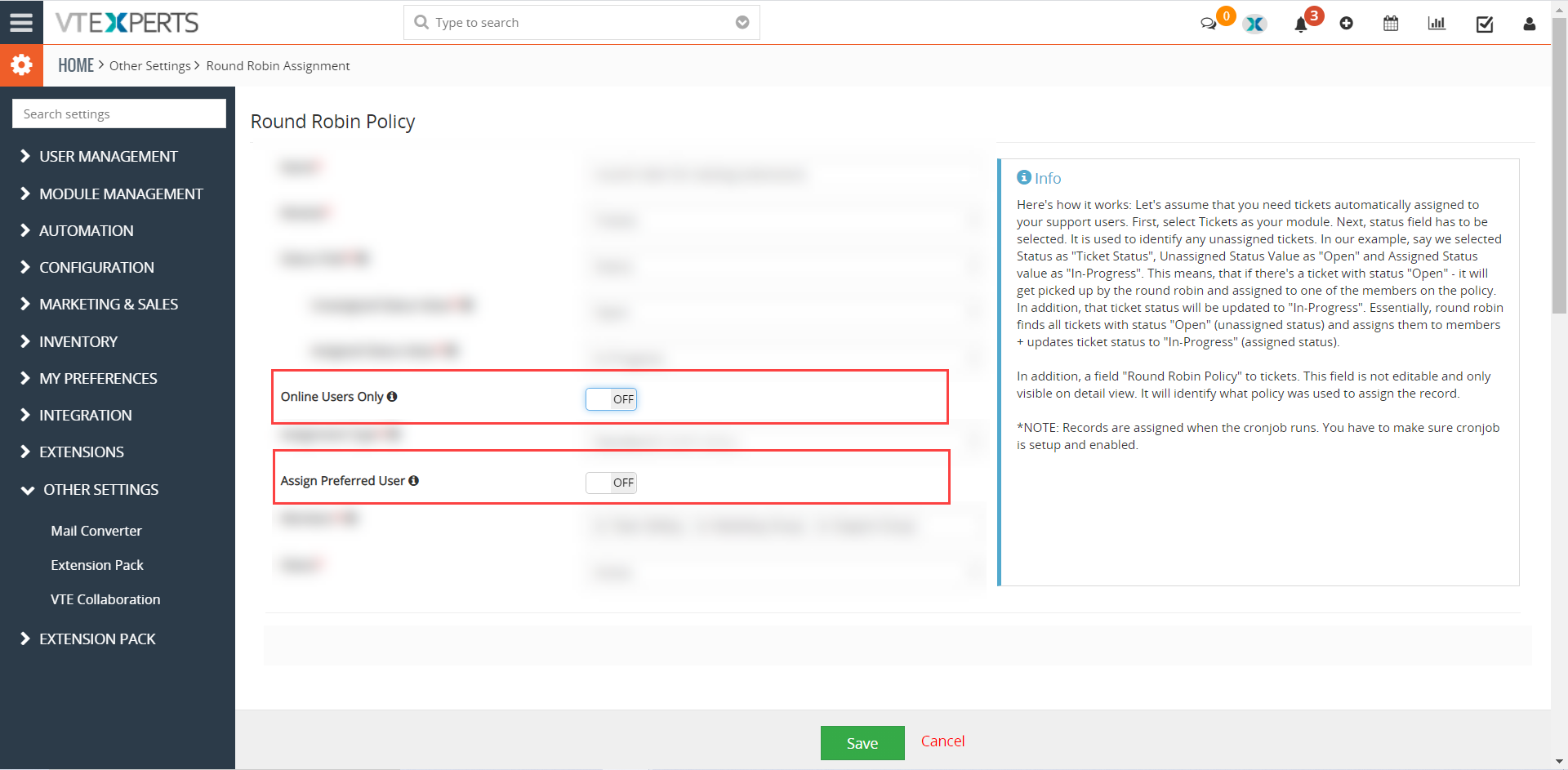
Note: The following two highlighted features do not work, when groups are used to assign records
 

Next Article: Configuring SMTP using App-Password
Related posts

VTiger Advanced Customer Portal vs Default Customer Portal: What’s the Difference?

VTExperts: Vtiger Employee Contract Management Customization

Multi-Currency Vtiger Quotes with VTExperts IDCA (Customziation)

Multi-Currency Vtiger Quotes with VTExperts IDCA (Customziation)

Vtiger Checklists by VTExperts Introduces Role-Based Sharing

Vtiger Checklists by VTExperts Introduces Role-Based Sharing

Leave a Reply Cancel reply

Your email address will not be published. Required fields are marked *

EXTENSION PACK

  • Extension List
  • Pricing
  • Extension Pack Details
  • Setup Instructions
  • Documentation

SERVICES

  • Support & Consulting
  • Hosting (Dedicated & Managed)
  • Customization & Development
  • Upgrade & Migration
  • Maintenance & Ongoing Support

LINKS

  • Gmail Plugin for VTiger
  • Outlook Plugin for VTiger
  • Blog (News & Tips)
  • Extension List
  • Contact Us Form

VTExperts

  • 341 W Scott Street
    Chicago, IL 60610
    United States
[email protected]
+1 (818) 495-5557
© 2009-2026 VTExperts.com All Rights Reserved
0
Cleantalk Pixel