Bill For Time Spent Via Time Tracker In VTiger 7
Time Tracker for VTiger Extension is designed to quickly & easily track the time spent while working on a task. It’s unique design allows to show and hide the timer within a single click without leaving the page. It integrates with Accounting/Invoicing and allows rates to be specified for each type of “time tracking activity” as well as custom rates per client. It is compatible with Contacts, Organizations, Leads, Tickets, Projects & Opportunities.
How to Bill for Time Spent
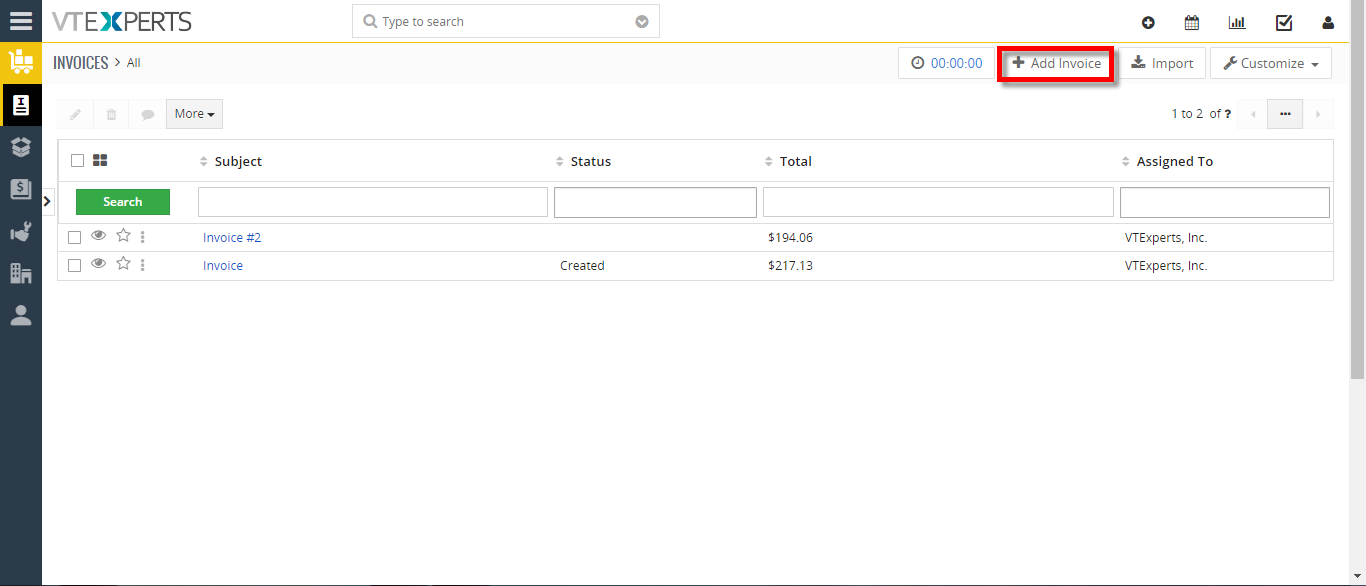
- Go to the Invoice’s and create a new Invoice.
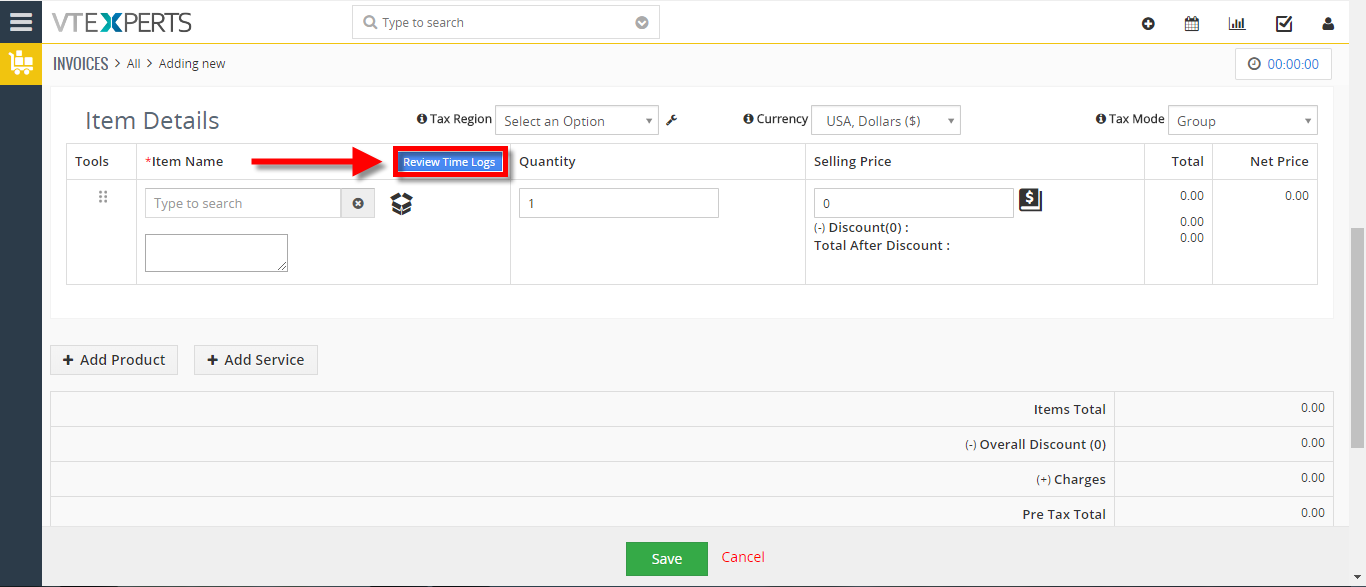
- After adding a Contact/Organization scroll down and click on the “Review Time Logs” button to bill for the time spent.
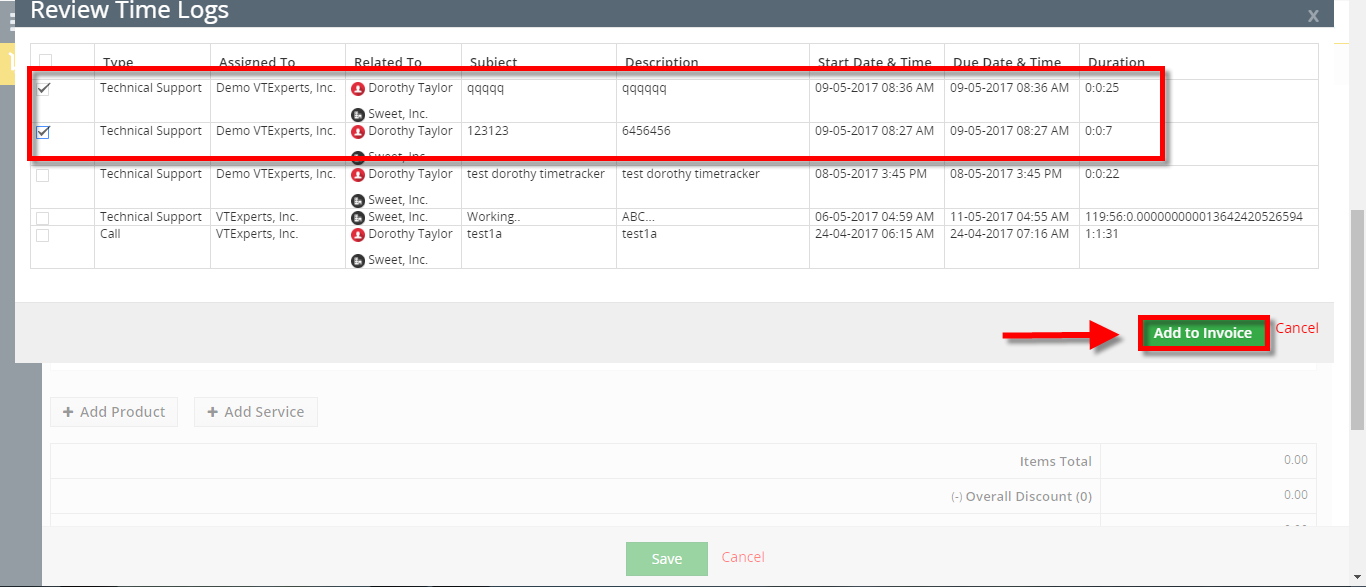
- These are all the time logs that we have not billed the customer for. Here you can also see all the detail (Type, Assigned to, Duration). Check box the time log and click on the “Add To Invoice” button.
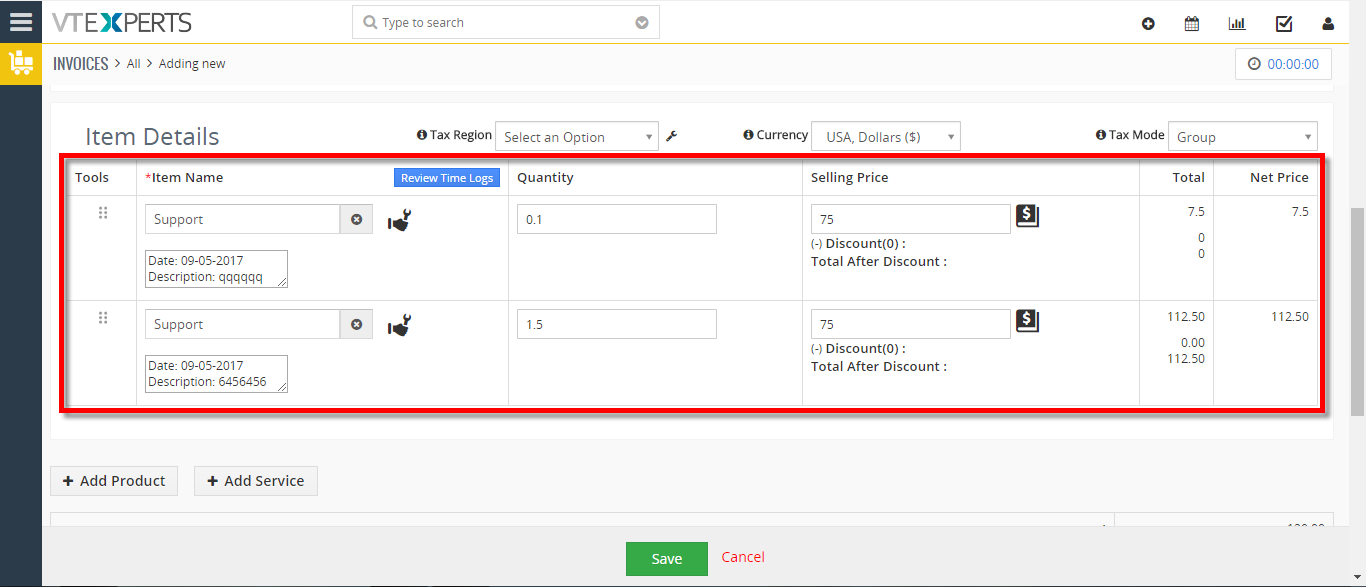
- Here you can see the time logs has been added to the invoice. Quantity is the time spent and Selling price is your list price for the services that you provide.
For further help, contact us on [email protected]. We’ll be glad to be of service.