vTiger News
How to make emails avoid going to spam
July 13, 2022

Article
Emails are an integral part of Vtiger CRM. Vtiger can also be used to send out email campaigns using VTExperts Email marketing extension. A very common issue that email marketers face, is that the emails they send out in an email campaign are landed in the spam folder most of the time. In this article we will learn what causes your emails to land into junk folder and how to make emails avoid going to spam. Why emails land in Spam box There are a number of different factor which causes emails to land into the spam folder. Lets look at some of the most prominent reasons behind it Make sure that you have permission/authorization to send email to contacts you are incorporating in email marketing campaign. Do not buy the list of email addresses to use in you email marketing campaign as it can put you on risk of
VTExperts PDF template Tracker
July 7, 2022
Article
PDF’s are an integral part of digital documentation. Either you are a freelancer who is working alone or managing a big team, you will definitely come across pdf. Same is the case with VTiger users as well, from invoices to the birthday wishes to you valued customer, everything can be sent to the recipient using the PDF templates. But, here comes a question that can a standard Vtiger functionality tracks a pdf templates? The answer is “No”. That is why VTExperts provide a special customization using which user can track the PDF templates send from the VTiger CRM system. In this article we will check how VTExperts PDF template Tracker Customization works. PDF templates shows the list of PDF templates that are sent from the VTiger CRM. It automatically generates a record whenever a pdf template is sent from the CRM How VTExperts PDF template Tracker customization works To understand the
Customize Vtiger CRM’s Navigation bar
April 20, 2022
Article
Any CRM’s primary goal is to improve user experience, and navigation bar/Top bar is one of the most prominent area that appears on every page. The same applies to VTiger 7 CRM. A sloppy navigation bar makes the CRM hard to navigate, while wasting a lot of useful on the screen. This in turn deteriorates the purpose of having a UX-friendly Navigation bar – at all. Navigation bar should be simple, yet accommodate all the elements that are helpful for the users to navigate through the CRM system. In this article we will look at how to customize VTiger CRM’s navigation bar/top-bar with its icon and content and use it to its fullest potential. The process in a nutshell is: 1. Download file This first step is to download and extract the files that will be required to modify the top navigation bar in VTiger. You can download the files
Availability Switch for Users in Vtiger
March 14, 2022
Article
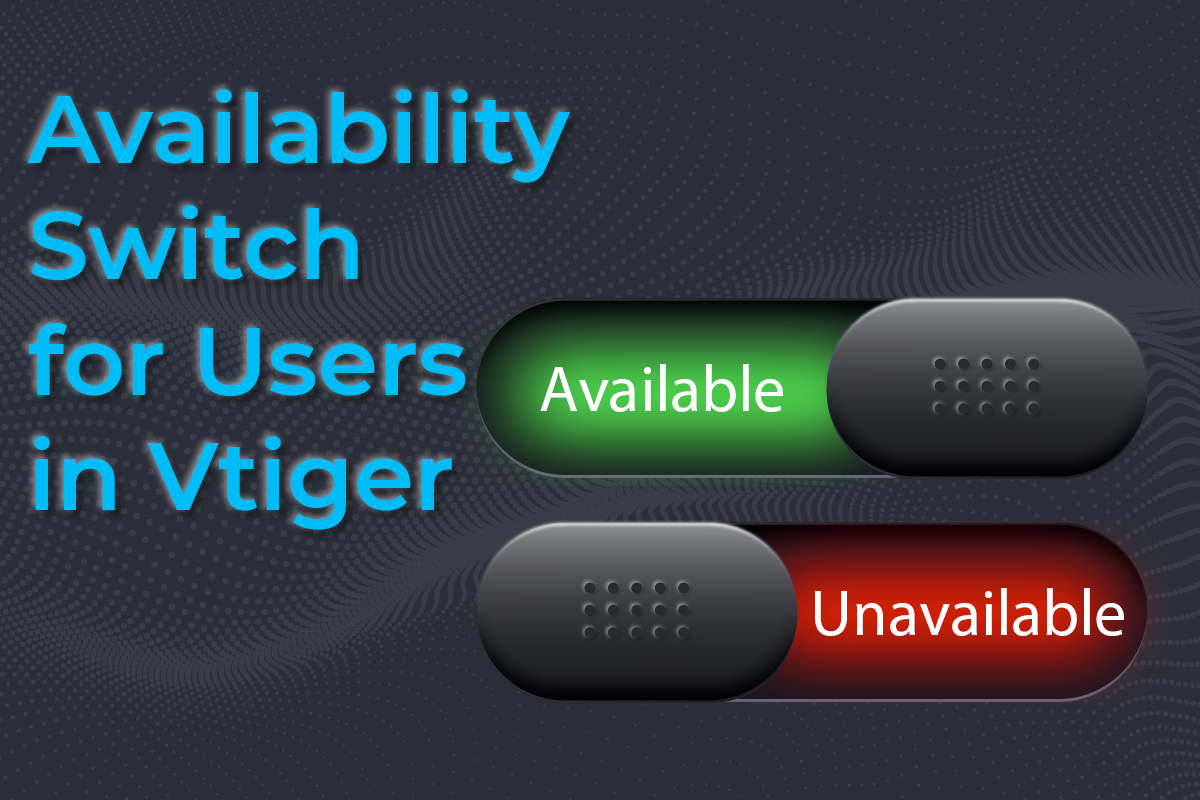
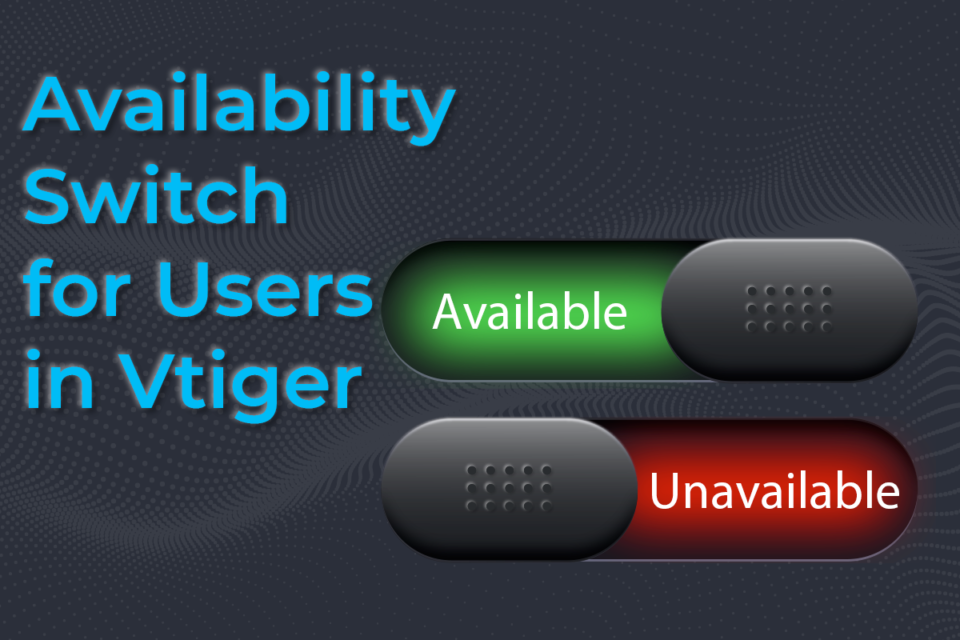
Availability Switch for Users in Vtiger is a customization that allows to make a user available/unavailable for the “assigned to” field. if a user is unavailable then records cannot be assigned to that specific user. For example, if one of the CRM user is on leave, then the status of that user can be switched to unavailable and no records can be assigned to that user. Available/Not-Available switch After the customization each user will see available/unavailable switch top right corner of the CRM window. Using it they can tag themselves as Available and Unavailable. If the user is unavailable then tht user cannot be selected in “Assigned to” field When the switch is in Available state that means the records (Tickets Leads Contacts, etc.) can be assigned to that user When the switch is in Not-available stat that means the records (Tickets Leads Contacts, etc.) cannot be assigned to that
Configuring ShareX to take screenshots & screen recording
March 4, 2022
Article
Using screenshots and short videos you can better communicate the issue to us and it is much easier for us to understand the issue in this manner. You can take screenshots and record videos using ShareX and then send it to us via email Download link: ShareX Downloading and installing ShareX 1. Download the ShareX from the link provided above, once done install it 2. Once installed, you can access the ShareX from the taskbar. Right click on the ShareX icon to open the ShareX control panel Taking Screenshots using ShareX Kindly check the following procedure using which you can take the screenshots Go to ShareX > Capture Choose the appropriate option according to you needs (e.g. if you want to take the full window screenshot then select Fullscreen) Once you take the screenshot it will start appearing in the ShareX control panel and using it you can access the
Remove multiple emails from send email box (Document Designer)
December 30, 2021
Article
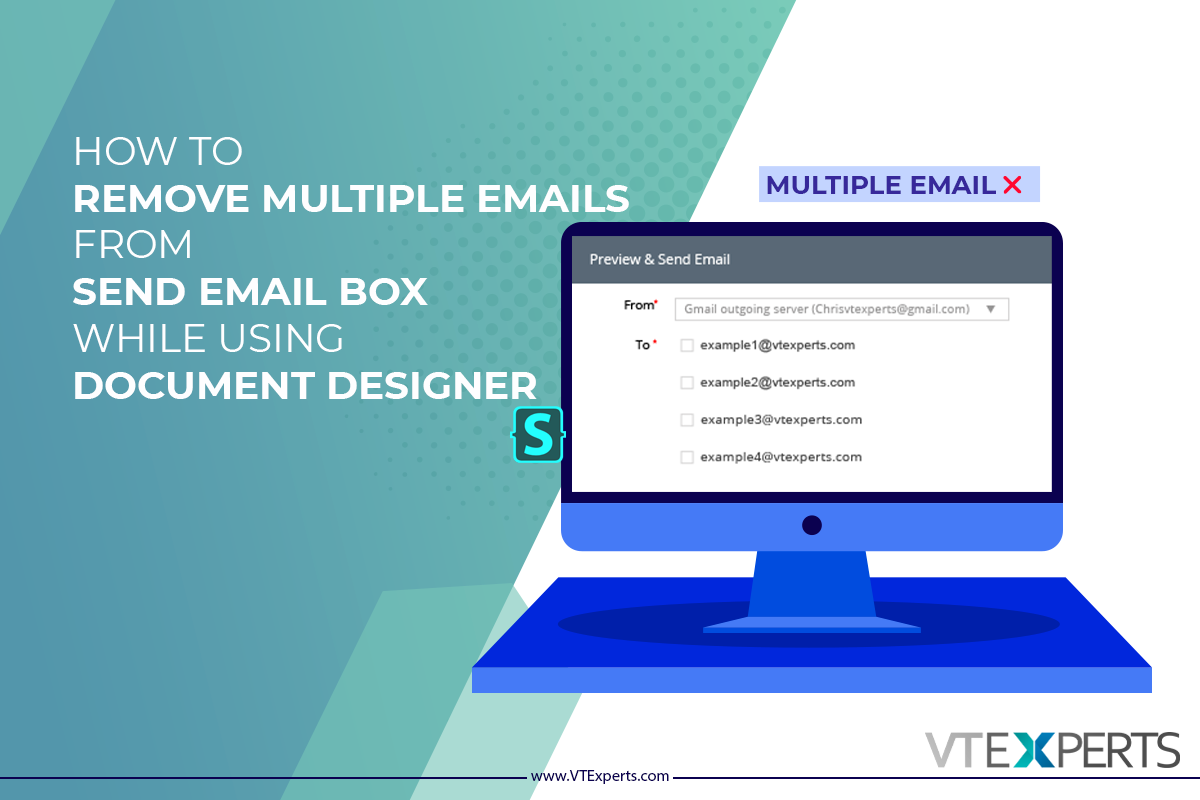
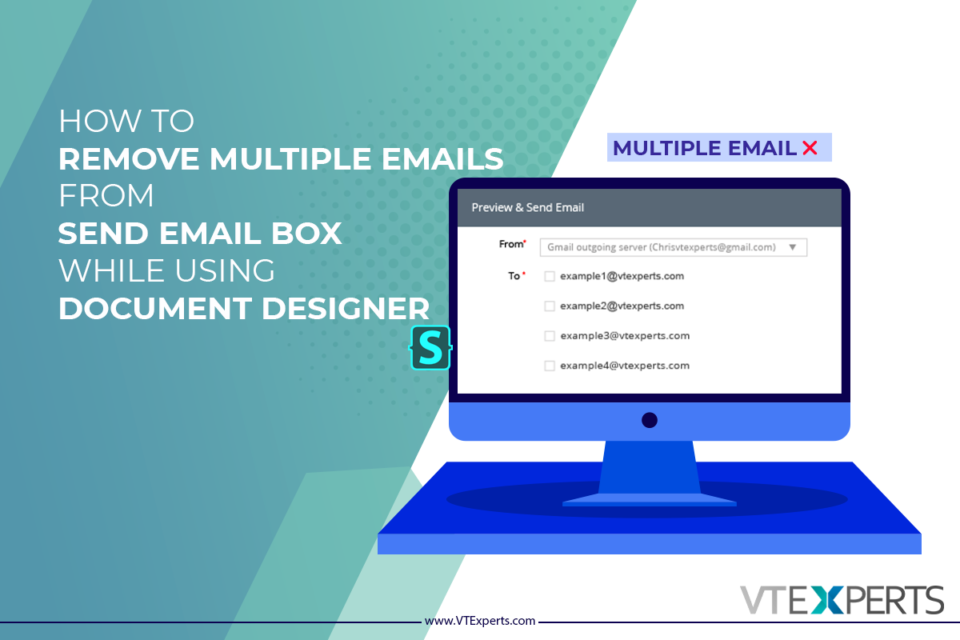
Sometimes, a single record contains more then one email fields. When user try to send a document designers template via email to that contact, multiple email addresses shows up. In this article we will learn, how can a user Remove multiple emails from send email box while sending a Document Designer Template With a little bit tweaking with CSS, you can make only the primary email of the record to appear in the send email box For doing so, first you have to install a browser extension, by the name of stylus Stylus Stylus allows you to easily install themes and skins for many popular sites. Get Stylus for chrome Here Once Stylus is installed, configure the Stylus for send email dialog box using Stylus editor Configuring a new Stylus Following is the CSS changes that you have to configure in the stylus [data-module="PurchaseOrder"] {display:none;} Make sure to provide

Vtiger CRM 7.4 has been Released
July 28, 2021
Article
The much awaited Vtiger CRM 7.4 GA is released now. It is a great news for the Vtiger CRM users, as plenty of new features are added in addition to the various major bug fixes. Vtiger 7.4 put emphasis on security and performance issues and most of the changes revolves around these aspects of the CRM system. You can download the VTiger 7.4 from here Download Link Some of the most prominent changes in Vtiger 7.4 are listed below Comments are internal by Default in Vtiger 7.4 Secure format for passwords is enforced. Using it the password should be 8 characters long, with at least one number, one uppercase alphabet, one lowercase alphabet and one special character. Password regex format has been centralized. Now, user’s can also define their own standards in config_override.php file. So, it drastically increases the password strength as compare to the previous versions. Import now supports “Record
Guide to Upgrade from VTiger 7.1 to 7.2
July 15, 2020
Article
Upgrading VTiger CRM from version 7.1 to 7.2 is quite similar to the earlier versions. Firstly, you must download the patch file, extract it, make a backup for your files/database and then finally run the migration wizard. Through this article you will be able to migrate your VTiger CRM 7.1 to 7.2. Note: You cannot upgrade VTiger CRM directly from version 7.0.1 to 7.2. You have to follow the upgradation path 7.0.1 > 7.1.0> 7.2 Migrating to newer version of VTiger CRM all by yourself is not an easy but doable task. If you have good enough knowledge regarding how migration works, then you will be able to do it by yourself. But if you think your data is too valuable and you do not want to take the risk, then we will suggest you to let our skilled developers and highly experienced team do it for you. Step by
Vtiger 7.2 has been released
May 28, 2020

Article
There is a great news for VTiger CRM Users, as VTiger recently announced the GA release of Vtiger CRM 7.2.0. According to the official announcement, this new release primarily caters the performance and security issues. VTiger CRM 7.2.0 uses improved and effective mechanism to stop SQL injections, moreover significant improvements are made in file security aspect as well. Some of the main areas of emphasis of Vtiger CRM 7.2.0 are as follows
Filters are added in Complete Record Timeline/Summary (Communication + Updates) Extension for VTiger
July 16, 2018
Article
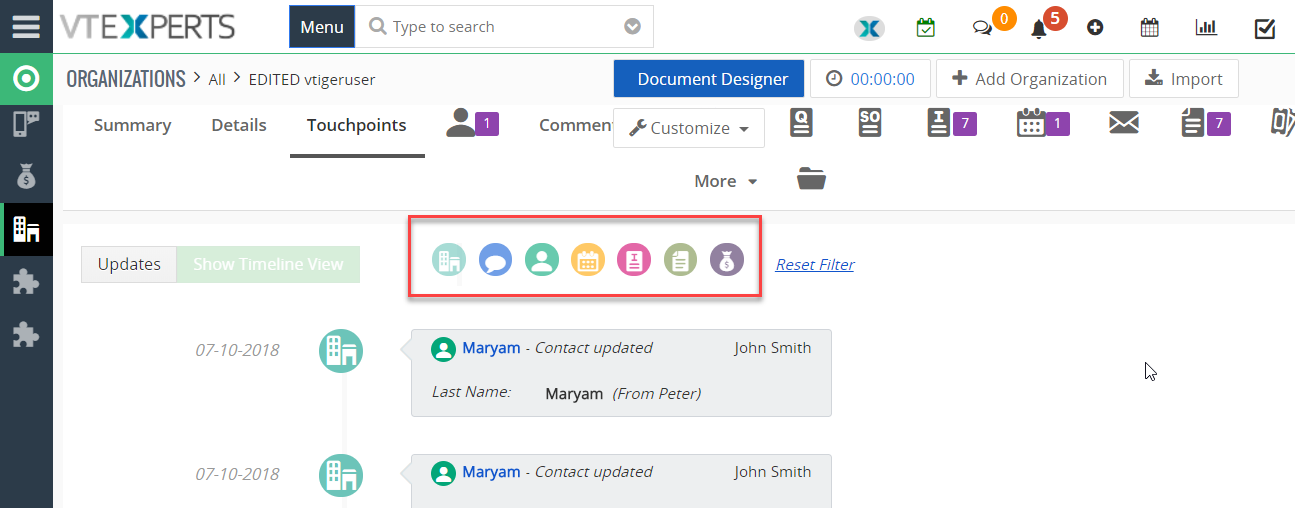
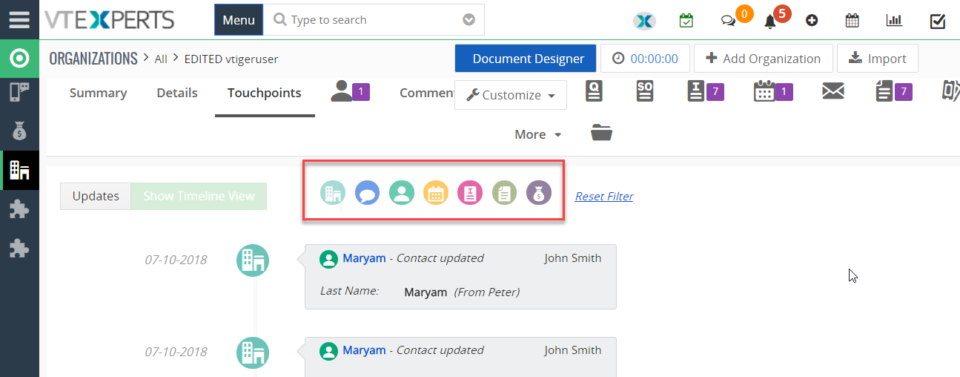
In VTiger, if you are trying to find out more details about a contact/organization/lead, you would have to click through all the related lists and review any tickets/opportunities one by one. However, with the Complete Record Timeline/Summary (Communication + Updates) Extension for VTiger, you will be able to see all of it in a single glance. What it does is that it enables the user to see any communication (emails, calls, comments) as well as updates for a selected record. It rolls up the information from 3 relationship level deeps, meaning if you are viewing organization timeline, you will see any information related to organization (emails, updates, comments) as well as any information related to organizations’ tickets/opportunities (or other related modules). We have added filters in this extension so you can see the updates of a selected module separately from the main timeline. For example, when user clicks any
Map Data in Emails from VTiger Records : New Addition in Email Marketing/ Automation Extension for VTiger
June 27, 2018
Article
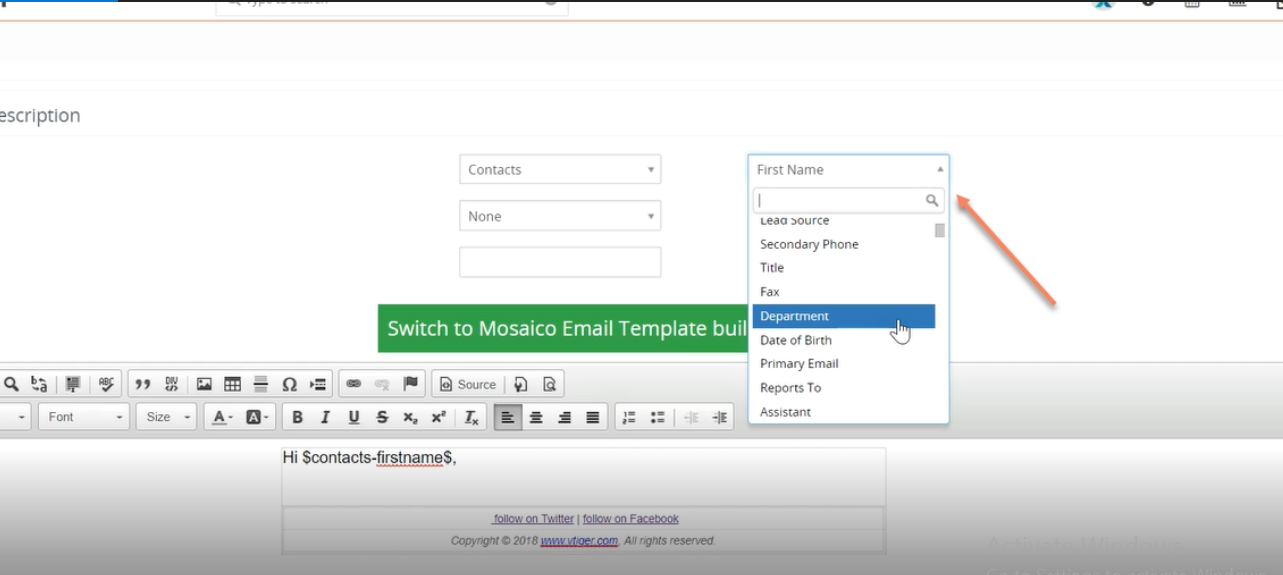
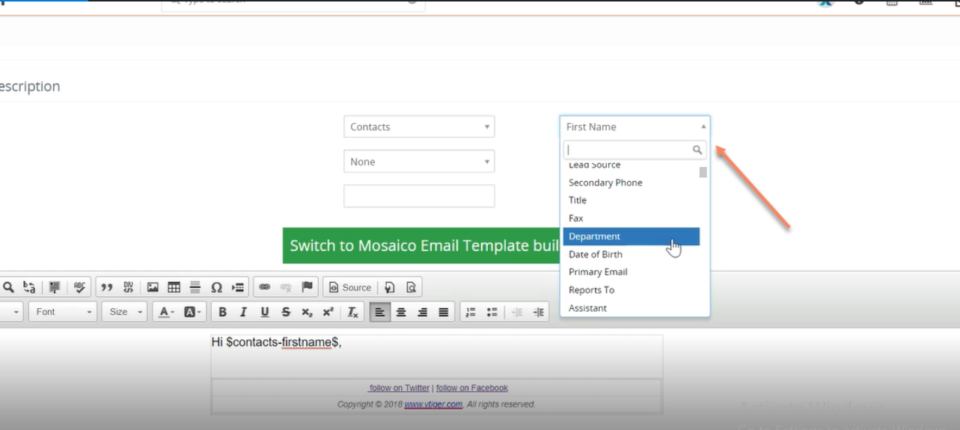
We have added a very helpful feature in Email Marketing Automation/Campaign Extension for VTiger. This extension makes VTiger a delightful marketing tool because of its simple configuration. Comes with a step by step implementation Wizard with an easy to select & customizable marketing list that supports Leads, Contacts & organizations. Next step is to create new or select an existing email template. It supports Mosaico template builder other than the standard vtiger template builder so you can create innovative emails, simply and easily. Then there is a confirmatory/send summary view. It also supports various email outgoing servers and works with our other extension, Multi SMTP. You can schedule emails to go out in batches (to avoid spamming them), set the failed emails to retry and shows status of the emails as Opened, Sent , Failed, Unsubscribed and Unopened. It also supports executive summary charts. Moreover, gives a built-in Unsubscribe
Introducing the Google Drive Integration with VTiger
May 18, 2018
Article
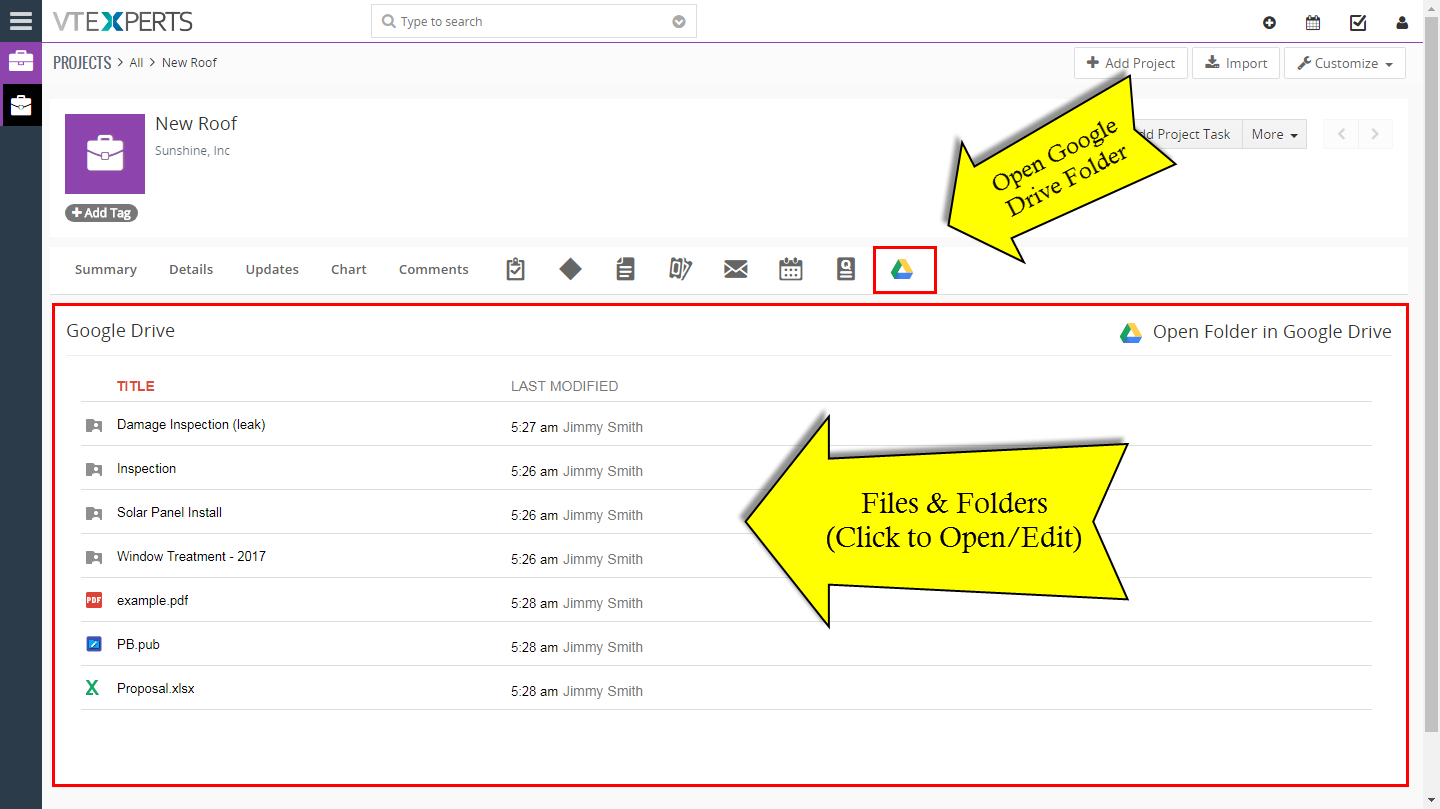
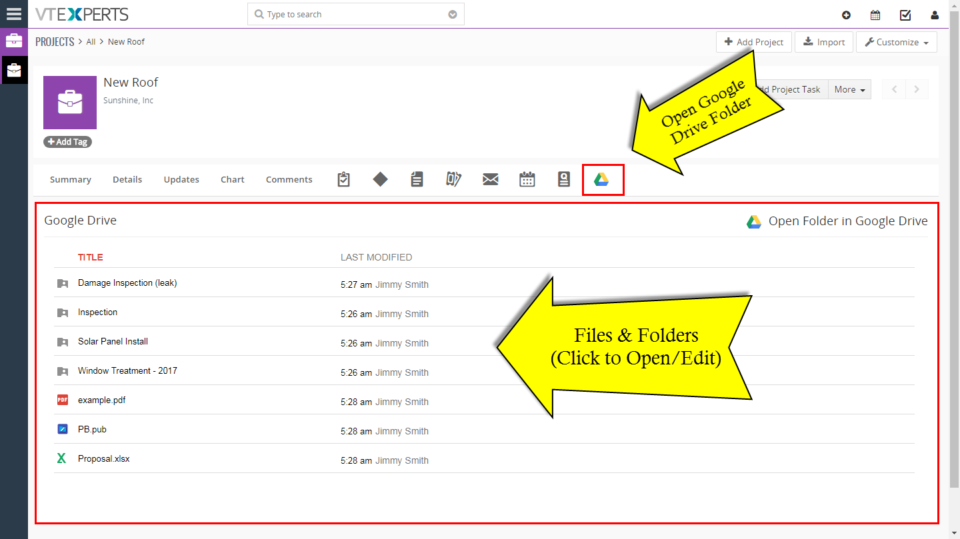
Google Drive is one of our recently added extensions that seamlessly integrates Google Drive with VTiger. Not only the Documents /Files/Folders in Google drive can be accessed from VTiger but they can be edited without downloading to your computer (supported files include Word, Excel, Text & images etc) by the Google File Viewer/ Editor. You can assign unique folders from Google Drive to the individual records and modules using a Built-in Folder Selector. It also shows the assigned Files/ Documents in two supported views that is Grid and List view. This integration also supports all modules, meaning that you can assign folders to any record e.g project, opportunity, order and access the folder while in VTiger. It is very user-friendly, Module-manager compatible and got a rather straight forward Configuration Panel. After the configuration you can choose, create or assign folders from Google Drive to the records. For that, open a
VTExperts Comply With GDPR Regulations Update 2018
May 11, 2018

Article
This article explains the compliance of VTExperts Inc. with GDPR’s regulations until 2018. VTExperts has always been up to date when it comes to security standards and safety measurements. We’ve already been following the best practices in regards to collecting, processing, and managing our Clients’ data. So we took this opportunity to clarify how do we go about the data we have and how much is it that we collect. As we deal in VTiger CRM versions VTiger 7 and VTiger 6, GDPR affects greatly all of the CRMs just as VTiger CRM. For legal documentation, please see our GDPR compliance statement. What Data Do We Collect? It is often considered that our extensions collect huge amount of data as they require constant connectivity to Internet. Here’s the correction. We DO NOT collect any of the data through our extensions. Our extensions need connectivity to our license server to
VTiger CRM 7.1.0 GA/Stable – Released
March 5, 2018

Article
VTiger 7.1.0 GA/Stable has just been released. According to official announcement there were 200+ key functional and at least 500+ usability issues closed/corrected. In addition, VTiger 7.1 comes with new customer portal, which uses REST API instead of SOAP. Here’s the official vtiger announcement. We are happy to announce the availability of Vtiger CRM 7.1.0 GA today. This release mainly targets on improving stability over the redesigned Vtiger 7 UI, which was rolled 10 months ago. Continuing the journey on the issues reported we have addressed 200+ key functional issues and knocked off at-least 500+ issues of usability or inconsistent behaviour that were present in earlier versions. Customer Portal add-on too gets a makeover with this release and is modelled using REST API instead of SOAP driven (old version). This adds much more capability to extend and makes it easier integrate with existing application much easier. We recommend the
VTiger 7.1 GA/Stable Release Date Confirmed [First Week of March]
February 23, 2018

Article
VTiger developers put in a lot of effort (with help from the community) in the past 2 months and make significant improvements to VTiger 7.1 code base. There were nearly 300 issues/bugs, few minor enchantments as well as new customer portal. The release of VTiger 7.1 GA/Stable is scheduled for 1st week of March, 2018. The latest code is already available in git, however we recommend to wait until final-repackaged version. Here’s what vtiger rep had to say. (for official vtiger announcement – click here) Dear members, Getting ready with a weekly wrap is now becoming interesting activity and I’m glad to see it being received with appreciation – which is a huge motivation. This week focus was more on addressing an blocker issues and those that trickled during early validation. Happy to see not many fell into this – which is a good signal for release. But most of
Vtiger V7.1 GA Release Update
January 31, 2018

Article
We just received an update from vtiger rep saying that the VTiger 7.1 Stable/GA version will not be released in January, 2018. Due to outstanding issues and fixed, the release has been pushed at least until March (not confirmed yet). We should know more, possible have a set date for VTiger 7.1 Stable release on 3rd week of February, 2018. Here’s an official post from vtiger: Hi All, We would like to update regarding Vtiger Opensource V7.1 GA. This version release delay as we need to address all the bugs those are reported in code.vtiger.com. We appreciate your patience and valuable contribution towards the release. We will confirm the release date in 3rd week of Feb month. regards, Satish.Dvnk Thanks
VTiger 7.1 RC Has been Released
January 8, 2018
Article
There has been an update! Please click here: https://www.vtexperts.com/vtiger-v7-1-ga-release-update/ VTiger 7.1 RC has just been released. RC stands for Release Candidate, meaning that it’s not yet recommended for production yet, however it should be very close to what the VTiger 7.1 GA (Stable) version will be. Here’s official announcement from vtiger.com: We would like to update you that Vtiger community edition V7.1 RC has been published in sourceforge.net which will includes the following features and fixed 100+ bugs Follow A Record (Following a record is a nice fashion of marking a record as a favorite. This will act as a shortcut to get to favorite or active records. By following a record you get updates on it as the users modifies the record). Duplicate Record Prevention (Prevent duplicate records in Vtiger from all sources by enabling the duplicate check) Webform Attachments (Allow user to attach files to web forms)
Vtiger 7.1 Release Schedule
December 28, 2017
Article
VTiger rep Satish just announced release schedule for VTiger 7.1, here’s the announcement: We are happy to announce that we are going to release the Vtiger community edition version 7.1 in January. We would like to appreciate your valuable contributions and validation towards this release. Following are the expected release schedule for the V7.1. RCA – 1st week of Jan GA – 4th week of Jan FYI V7.1 Features and fixes : Features : Follow A Record (Click on Star icon to follow a record. By following any record, you get updates on it as other users of your organization modify the record. these updates are notified to you via emails. Deselect the Star icon to unfollow the record.) Duplicate Record Prevention (Prevent duplicate records in Vtiger from all sources by enabling the duplicate check) Webform Attachments (Allow user to attach files to web forms) Import Users Using .CSV file (Supports importing User data using .csv file) Supporting Mysql V5.7
Email Campaigns Extension for VTiger 7 Open Source – Progress Update
October 25, 2017
Article
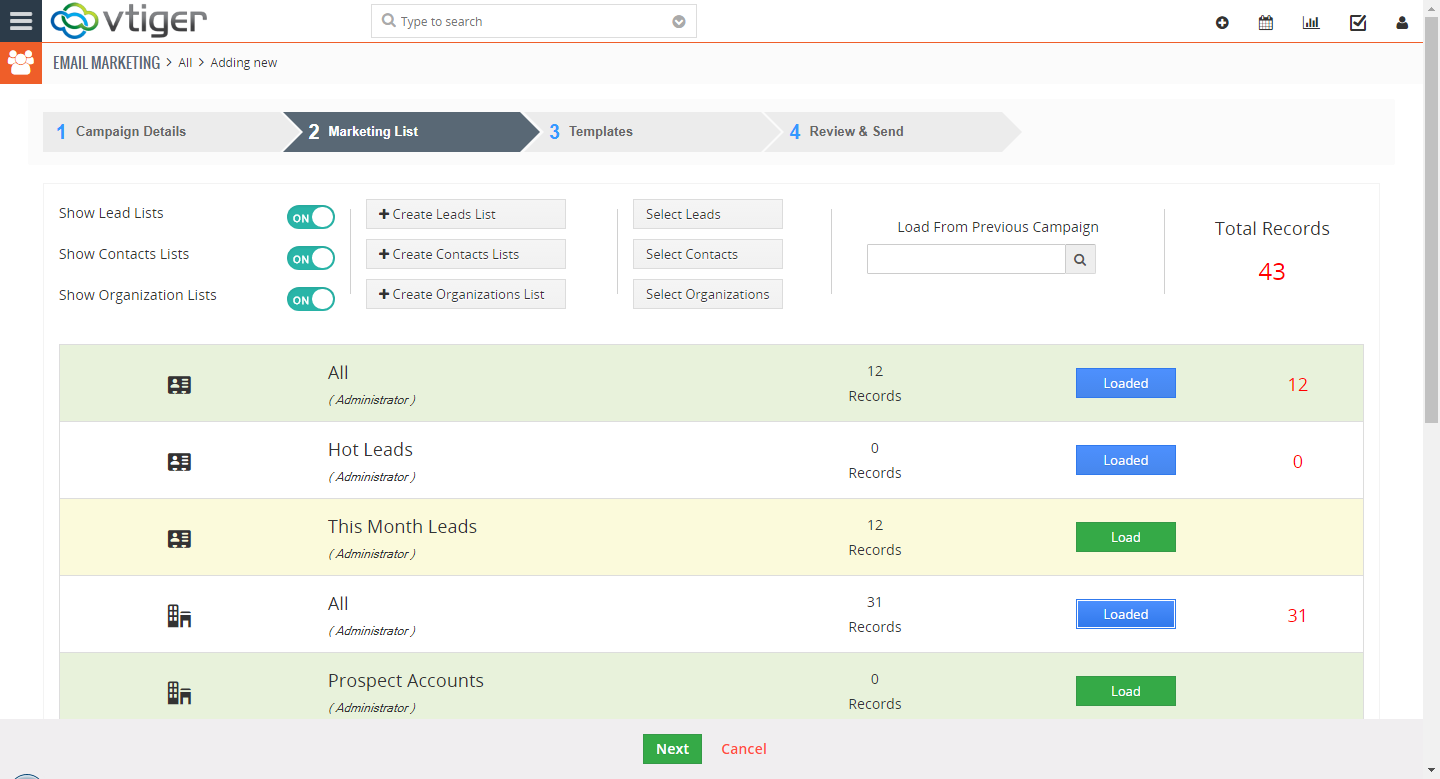
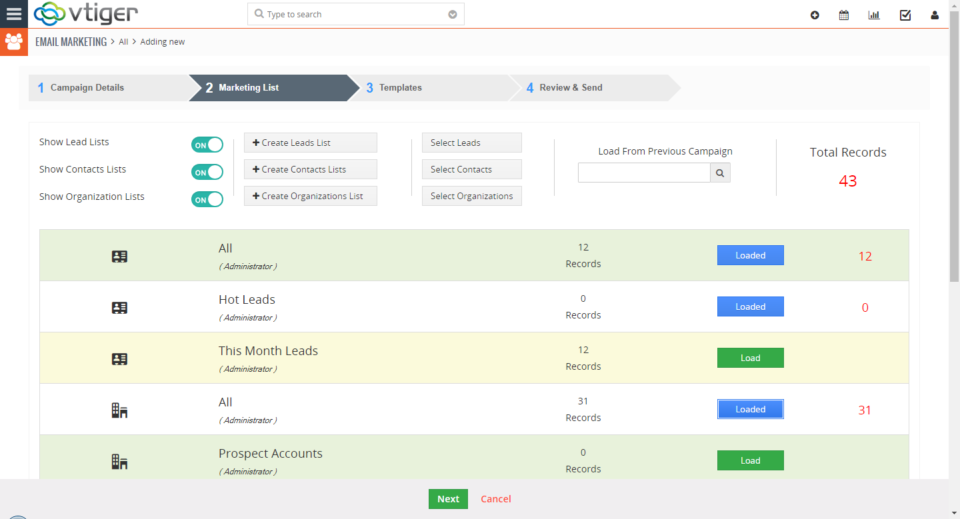
For the last few months we’ve been working on a new extension that will transform VTiger into sophisticated email marketing/campaign tool. The extension will include a step by step wizard, easy to use “marketing list” (to load contacts/leads/organizations), review & send + confirmation/summary view that will show exactly what and when is going to be sent. In addition, it will support batch sending, meaning that you can schedule emails to go out over 15, 30, 60min instead of sending them all at once. We also integrated Mosaico template builder with our campaign/marketing tool. Mosaico is an open source template builder which allows users to create amazing email templates, the functionality is very similar to mailchimp, constant contact or any other email marketing platform. We are anticipating to have this vtiger extension available in the next month and would like to share the progress we made so far. Start New
Quickbooks Online & VTiger 7 Open Source Integration – Progress Update
October 17, 2017
Article
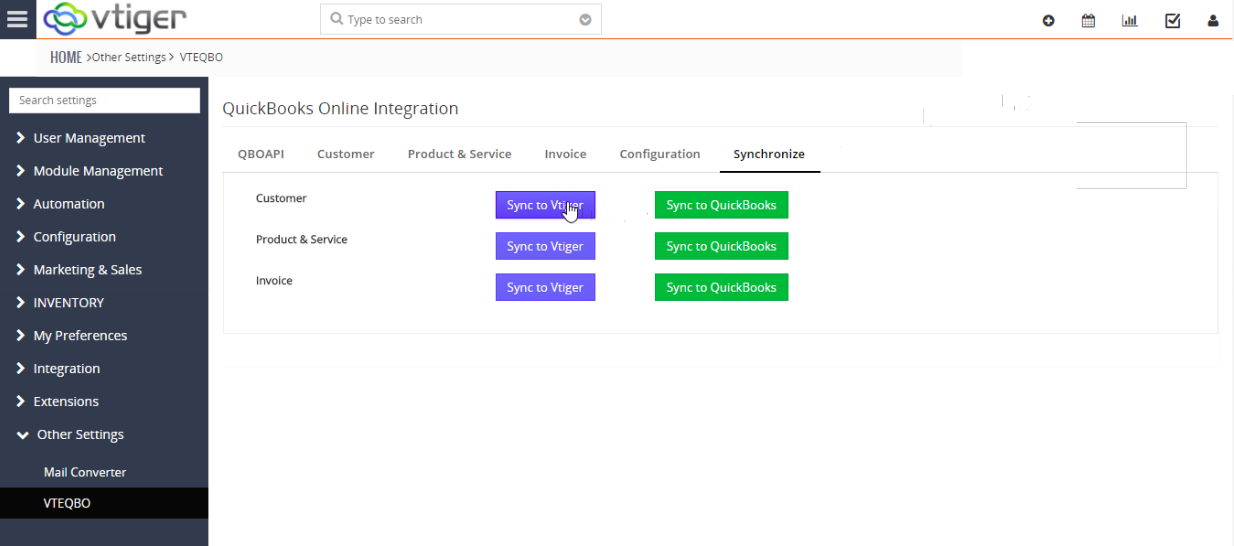
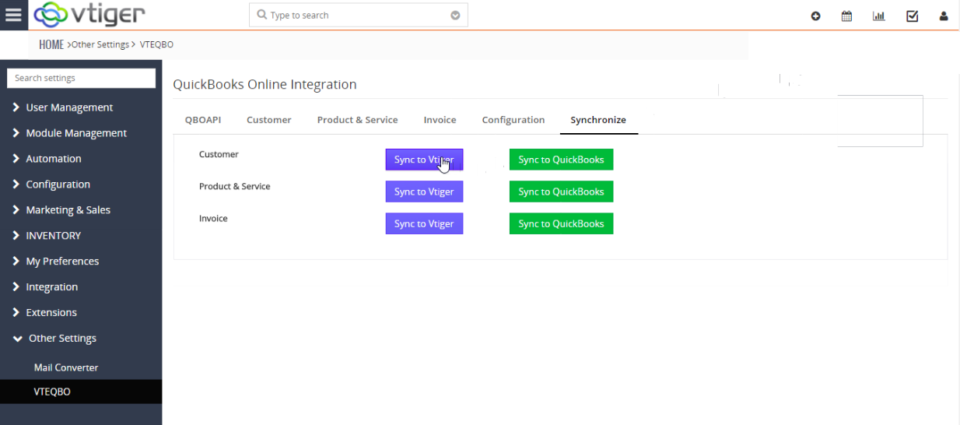
We have been actively working on our next major extension release – VTiger 7 & QuickBooks Online Integration and would like to share our progress with the community. So far, we completed sync of customers (organization/contact) and products/service as well as built the engine for logs, quickbooks queue and graphical user interface. It’s fair to say, that we are half way there (50% complete) and we are expecting the beta release in the next 1-2 months. If you would like to participate in beta testing – please contact us at [email protected]! Here are some screenshots of the interface/functionality. Synchronize Tab (Initiate 2 way Sync between VTiger & QuickBooks Online) Customer Tab (Map VTiger Contacts & Organizations into QuickBooks Customers) Configuration Tab (Configure bidirectional sync & set primary data source) Quickbooks API Tab (Enter Quickbooks API Details to connect to VTiger)
VTiger 7.1 Features Development
September 25, 2017
Article
We have some exciting news for VTiger open source community! VTiger developers have been working on a VTiger 7.1 release and just informed us on the new feature that will be introduced. The original message below We would like to update you that we have been working on Vtiger Open Source V7.1 features and planning to release it in couple of weeks. Following are the list of features including differed issues from previous version. Features : Follow A Record (Click on Star icon to follow a record. By following any record, you get updates on it as other users of your organization modify the record. these updates are notified to you via channels enabled in the Notification Center Settings. De-select the Star icon to unfollow the record.) Duplicate Record Prevention (Prevent duplicate records in Vtiger from all sources by enabling duplicate check) Webform Attachments (Allow user to attach files to