Configuring SLA With A Use Case In VTiger 7
SLA Policy Extension for VTiger was designed to improve response times, accountability, when dealing with time sensitive matters. It’s mostly used in support/helpdesk department, where each ticket/case has to be assigned and worked on/resolved by certain date and time. It allows administrator to create custom SLA Policy rules, which then get automatically applied to a record.
Use Case
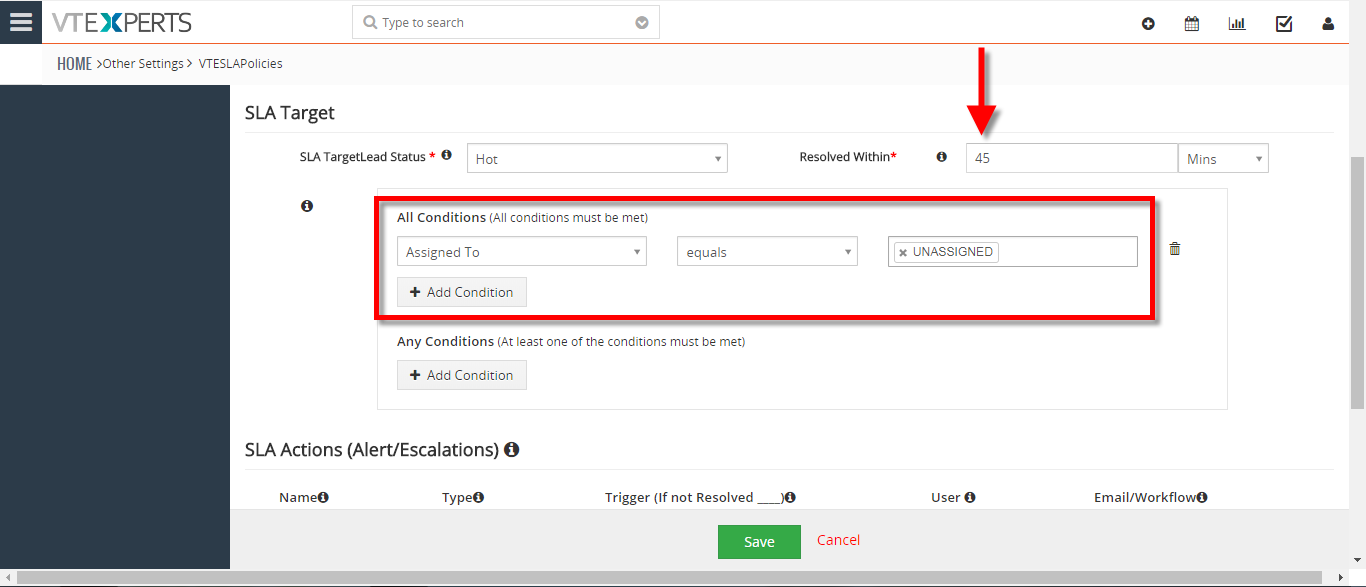
New HOT Lead comes in, if after 45 minutes the lead is still unassigned, you can automatically assign it to a sales rep or notify users/managers + trigger any workflow.
How to Configuring SLA With a Use Case
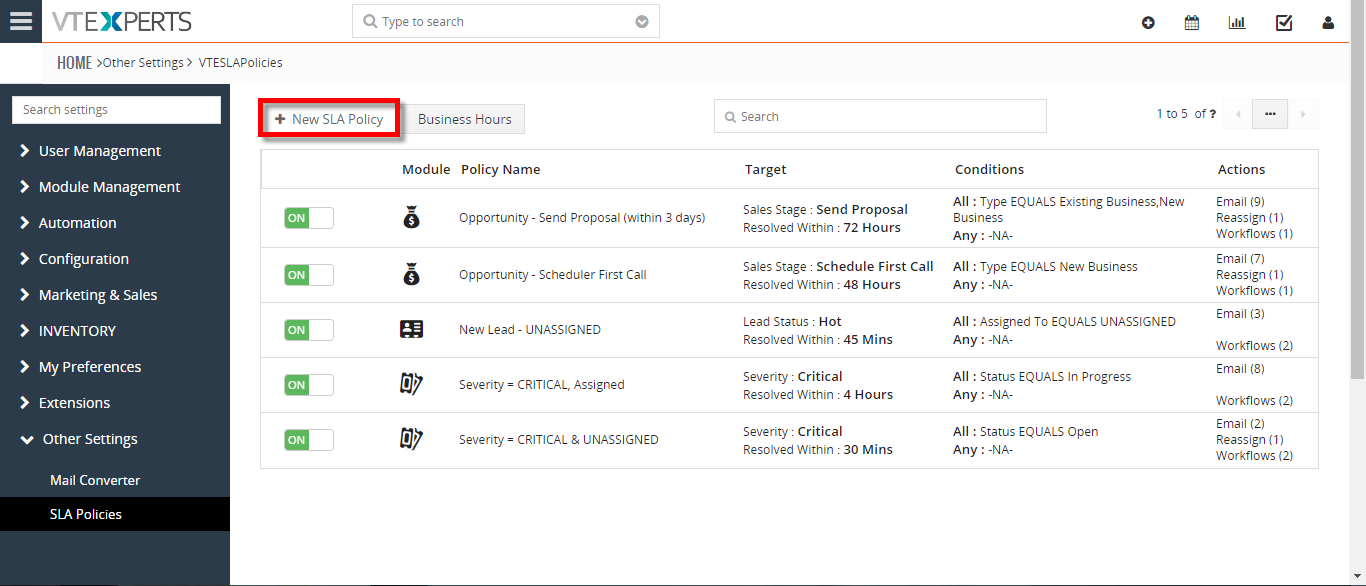
- Go to Menu > Settings > CRM Settings > Extension Pack > SLA Policies.
- Click on the “New SLA Policy” button to configure a new policy.
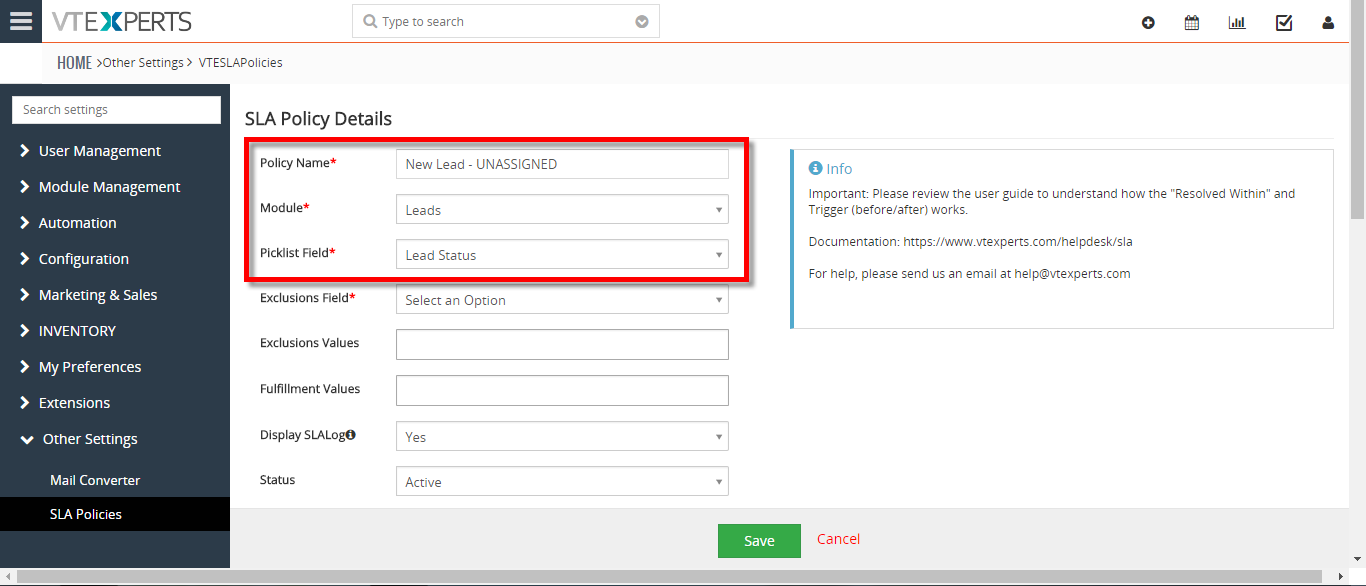
- Add a Name for the new policy.
- Select the module you want to apply this policy to.
- Select the picklist you want to configure for the SLA responses. This will mark the field and signals will be triggered on the basis of values.
- Add the Resolve Within time.
- Add a condition for the SLA.
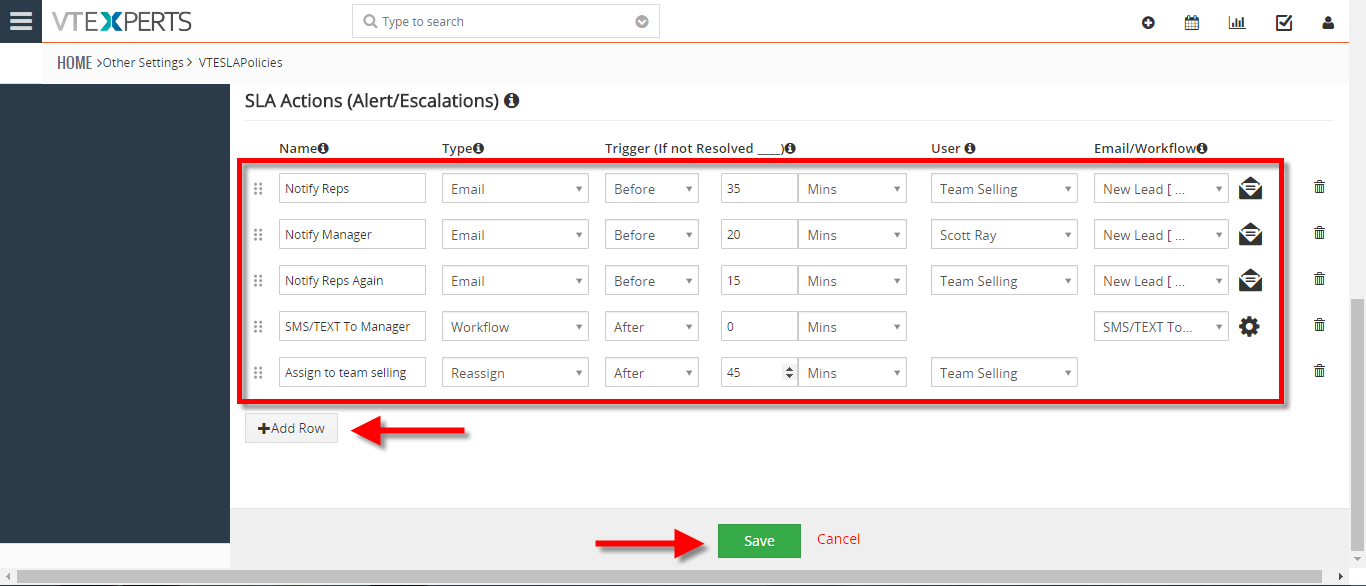
- Setup the actions you need to be implemented on the SLA record. You can see the actions are configured according to the use case.
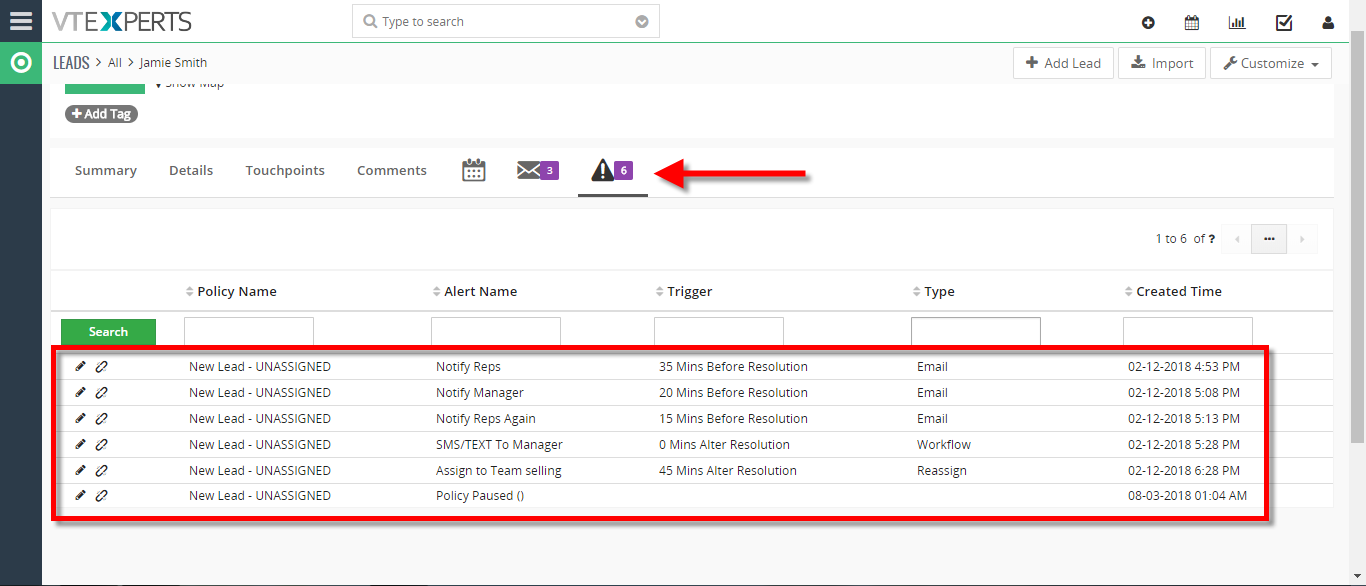
- You can see the executed SLA Log on an unassigned Lead.
For further help, contact us on [email protected]. We’ll be glad to be of service.